Chonvy
Your visual research assistant
Upload a paper. Explore its structure. Get answers cited to the exact passage.
Free to try · PDF up to 10 MB · Built for students & researchers
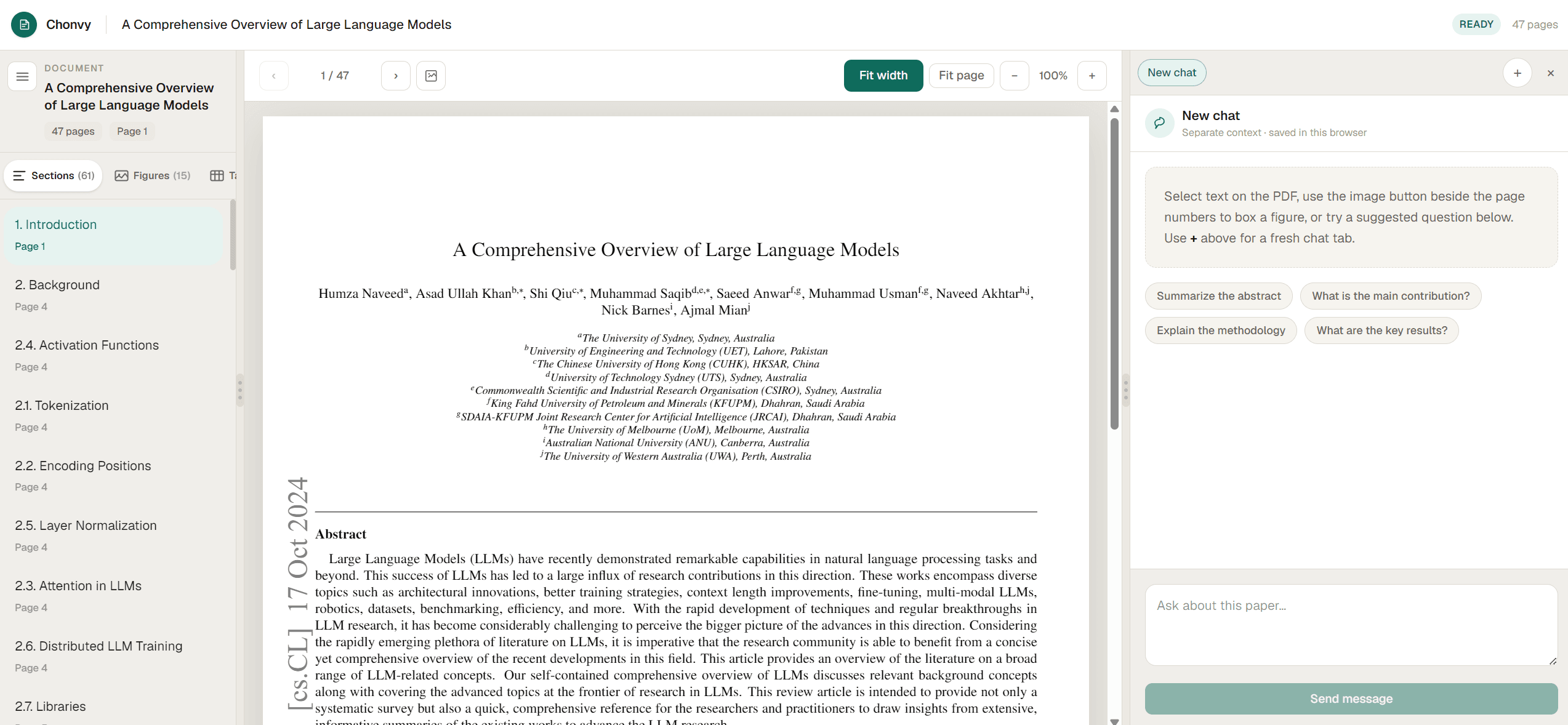
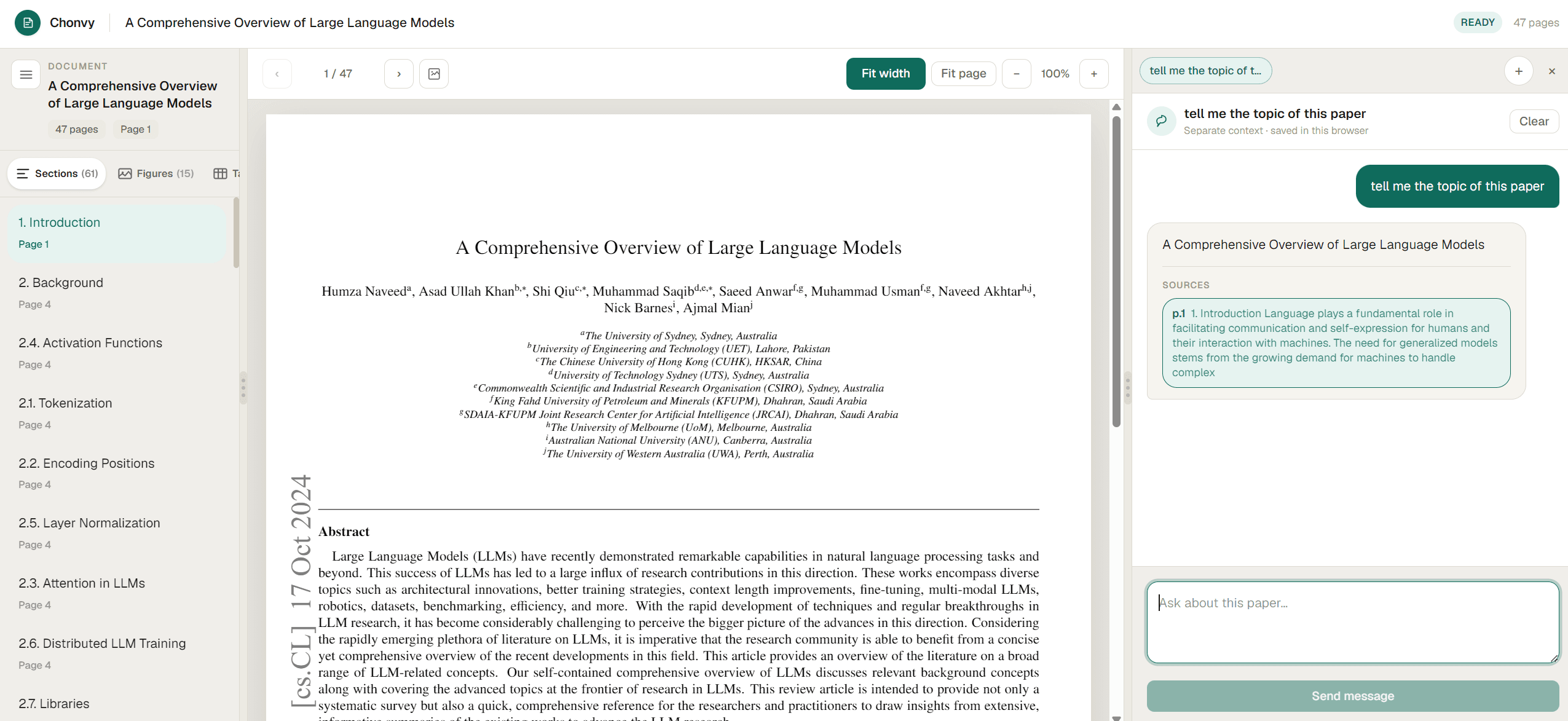
Citation-grounded
Ground every answer.
Chat with a paper and get replies tied to the exact passage. Click a citation to jump there — no vague summaries.
Structure first
Organize the paper your way.
Sections, figures, and tables land in a sidebar so you can open Figure 3 or Methods without endless scrolling.
Ask anything
Proof, not vibes.
Ask about methods, results, or limitations. Answers stay grounded in your PDF with source snippets you can verify.
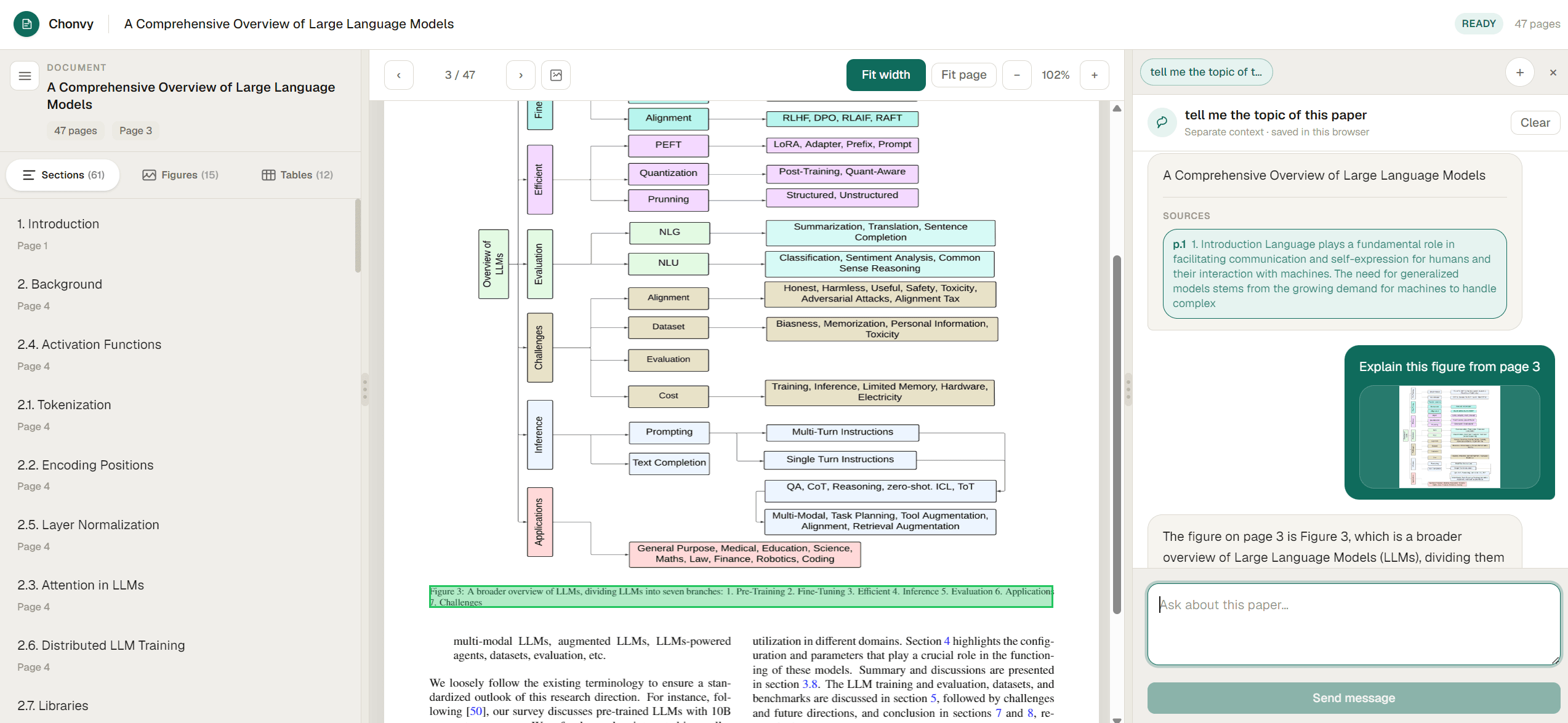
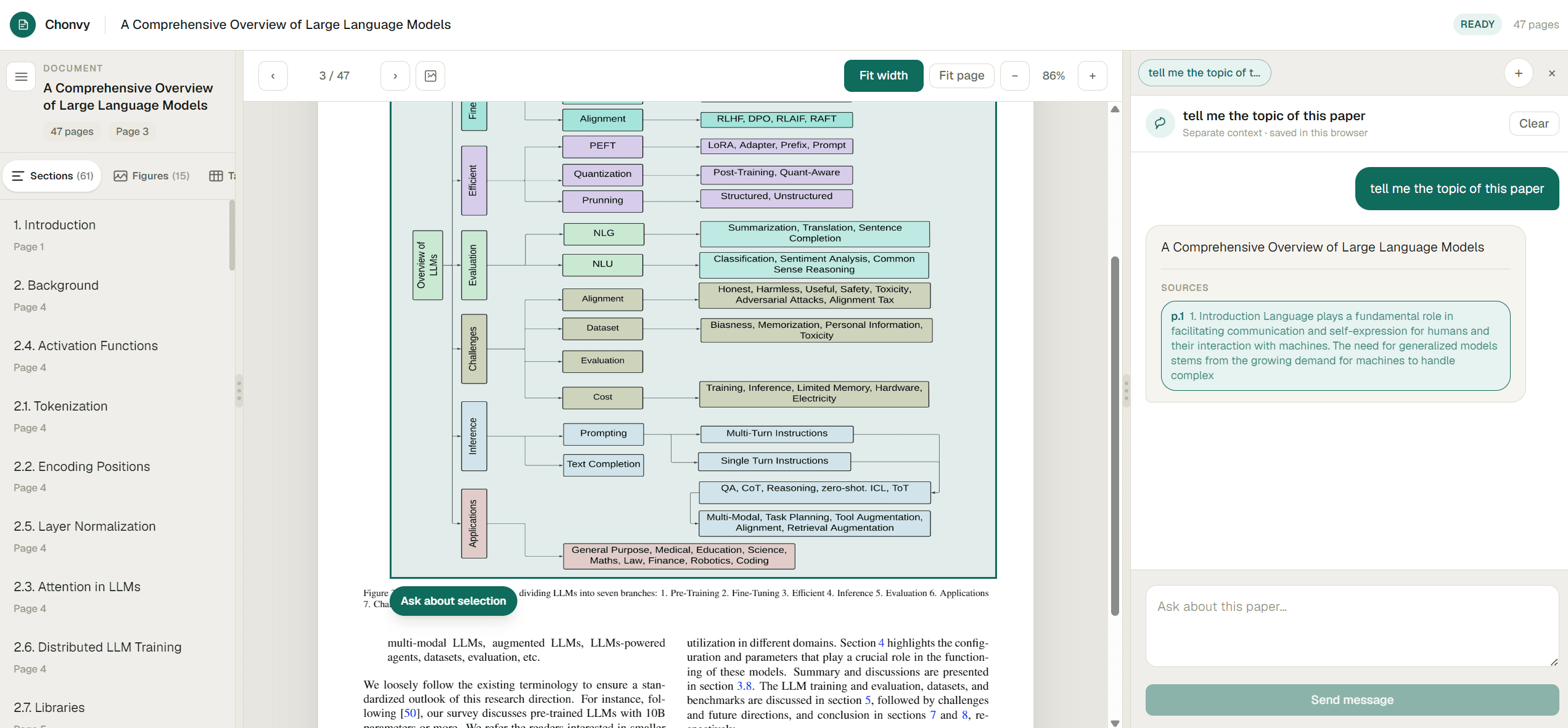
Figures as context
Talk to the diagram.
Box a figure or highlight a region, send it to chat, and get an explanation tied to the caption and nearby text.
From upload to cited answer
Three steps. Paper always in view.
- 1
Collect
Drop a PDF. We extract structure while the viewer opens.
- 2
Explore
Jump sections, skim figures, select passages as context.
- 3
Ask
Chat about the paper. Every answer cites a place you can open.
Still deciding?
Quick answers about Chonvy.
Chonvy is a visual research workspace for PDFs. Upload a paper, explore its sections and figures, and chat with an AI that cites exact passages — so you can verify every answer against the source.
Yes. You can upload a PDF and start chatting without creating an account. Limits may apply as we grow; contact us if you need higher volume for a lab or classroom.
General chat tools summarize without showing where claims come from. Chonvy keeps the PDF beside the chat and links every answer to a clickable region on the page — built for researchers who need to verify.
PDF research papers and documents, up to 10 MB. More formats may come later.
Your documents are used to power your workspace session. You can delete documents when you're done. Reach out at support@chonvy.com if you have specific compliance questions.
Use Library to select multiple uploaded papers and ask across them. Single-paper workspaces stay citation-precise.
Ready when the PDF is.
Drop a paper and open a citation-grounded workspace in seconds.
Upload your first paper